A website redesign can solve real business problems. It can make your services easier to understand, improve navigation, modernize your brand, and create a better experience for potential customers.
But what happens to everything your current website has already built?
Your organic landing pages, existing content, backlinks, internal links, and conversion paths do not automatically carry over just because the new website looks better.
Imagine a B2B services company replacing its existing website with a new content management system and frontend. The design team improves the navigation, the developers implement new page templates, and the marketing team rewrites the service pages.
Everything appears ready for launch.
Yet some high-performing URLs have changed, several older articles have disappeared, and nobody has confirmed whether Google can access the content in the new templates.
These are not necessarily design problems. They are gaps in how the redesign was planned, developed, and released.
A website redesign SEO checklist should do more than identify technical tasks. It should help businesses decide what must be preserved, who is responsible, and what evidence is required before launch.
No process can guarantee zero ranking fluctuations. Google’s own migration guidance explains that significant website changes can temporarily affect search visibility while pages are recrawled and reindexed.
The objective is to minimize avoidable risks and make the launch measurable, testable, and accountable.
1. Start by Defining What Is Actually Changing
Before creating a migration plan, determine whether your project requires one.
A visual redesign, a CMS migration, and a change to your URL structure are different types of work. They may happen together, but each introduces its own requirements.
Visual redesign without URL changes
If the project mainly updates layouts, navigation, typography, or the visual interface, existing URLs may remain unchanged.
In that case, the priority is to preserve useful content, internal links, metadata, crawlability, and page functionality.
A complete URL redirect strategy may not be necessary.
If your main challenge is the clarity, usability, or visual structure of your existing site, defining the scope of Website Design can help separate experience improvements from changes to the underlying technology.
CMS or infrastructure migration
Moving from one CMS to another, changing hosting infrastructure, or adopting a different frontend architecture can introduce technical risks even when URLs remain identical.
The development team should verify server responses, content rendering, indexing controls, site performance, and the reliability of the new environment.
Website migration with URL changes
When URLs change, the project needs a documented mapping between the old and new addresses.
That may involve a new domain, restructured service pages, different blog paths, or a redesigned information architecture.
Google provides separate guidance for site moves with URL changes and hosting changes without URL changes.
The distinction matters because businesses should not pay for unnecessary migration work or overlook critical requirements when a genuine migration is taking place.
Decision to make before development: What will change, what must remain stable, and which changes can be delivered separately?
2. Establish an SEO and Business Baseline
You cannot reliably assess the impact of a redesign if you have not documented how the existing website performs.
Start by identifying the pages that matter most to your business.
Look beyond traffic volume
A blog article that generates thousands of visits may be valuable for brand awareness and discovery.
A service page with fewer visits may be more important to lead generation.
Neither should be evaluated using traffic alone.
Work with your marketing and analytics teams to identify:
- Organic landing pages that consistently attract relevant visitors
- Service and product pages involved in conversions
- Pages with valuable external backlinks
- Content supporting important customer journeys
- Pages performing well for commercially relevant searches
- High-value pages in each supported language or region
Use Google Search Console to examine clicks, impressions, queries, and indexing signals. Use your analytics platform to understand what visitors do after arriving.
Keep the reporting period and comparison methodology consistent, and account for seasonal changes where relevant.
Build a baseline document
A useful baseline connects search performance with business relevance.
| Page | Organic role | Business role | Planned action |
|---|---|---|---|
| Main service page | Commercial search traffic | Lead generation | Preserve and improve |
| Educational article | Informational discovery | Supports service consideration | Review before rewriting |
| Outdated campaign page | Limited current search value | No longer active | Evaluate for retirement |
| Contact page | Brand and navigational discovery | Conversion | Preserve and test |
Illustrative example — not data from a client project.
The baseline should also record existing URLs, page titles, relevant metadata, indexing status, internal links, and known technical problems.
Required deliverable: A shared inventory of important pages and the assets the redesigned website must retain.
3. Decide What Stays, Moves, Changes, or Gets Retired
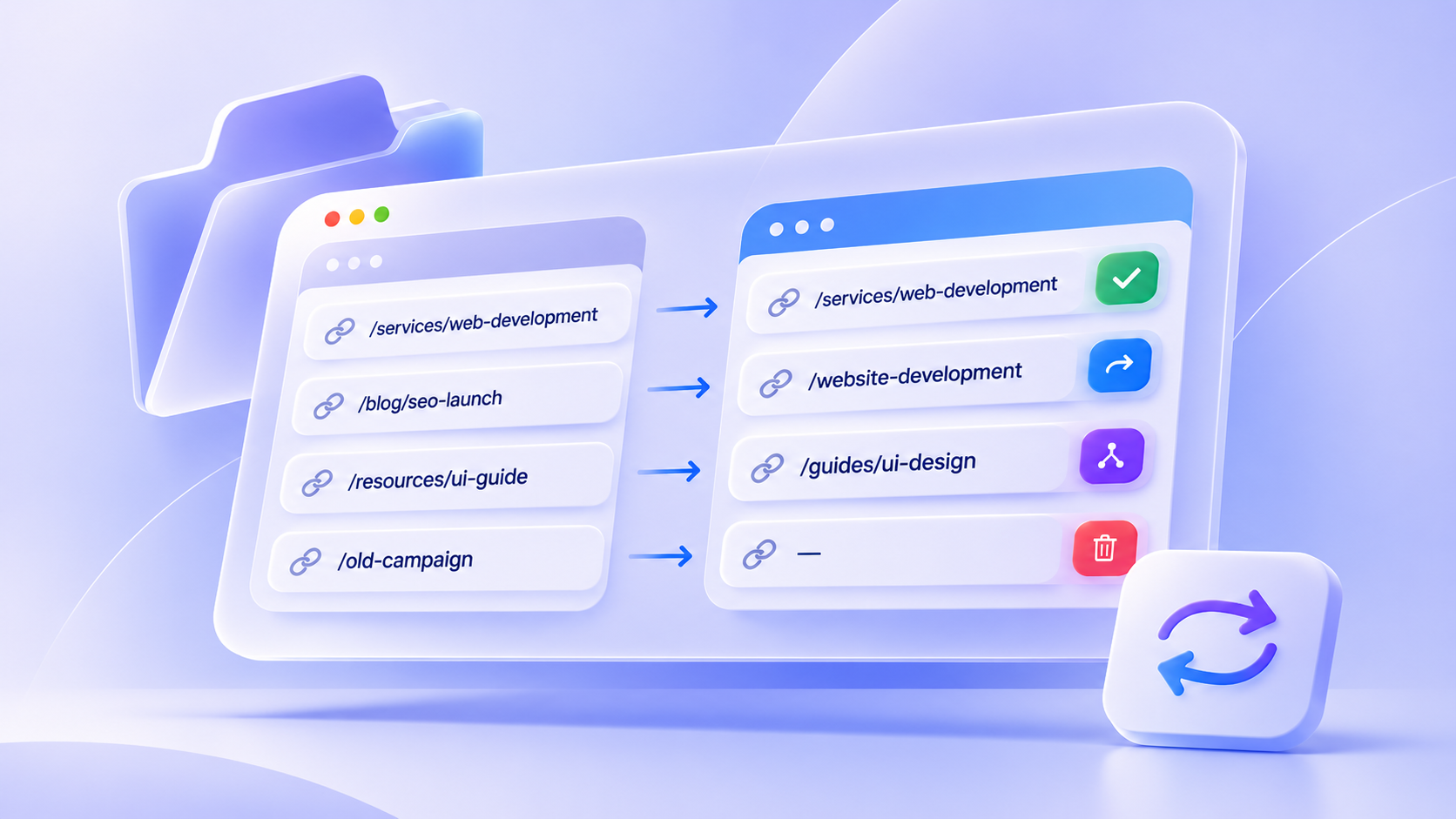
One of the most expensive redesign mistakes can happen before a line of code is written: changing the website structure without deciding what should happen to existing URLs.
Every important URL needs a documented destination or an explicit decision to retain or retire it.
Preserve URLs when there is no good reason to change them
A new design does not require new URLs.
If a service page already has a clear, stable address and its purpose remains unchanged, keeping that address may reduce migration complexity.
Do not restructure URL paths solely to make them look different.
Create a redirect map when URLs change
When a page permanently moves, Google recommends server-side permanent redirects, such as HTTP 301 or 308, where appropriate.
Consider a hypothetical services website:
| Previous URL | New URL | Action |
|---|---|---|
/services/website |
/services/website-development |
Permanent redirect |
/insights/seo-launch |
/blog/seo-launch |
Permanent redirect |
/contact |
/contact |
Keep |
/old-promotion |
No relevant replacement | Evaluate 404/410 |
Each redirect should point to the closest relevant destination.
Redirecting every removed page to the homepage is not an acceptable substitute for evaluating the content. Google warns that unrelated mass redirects can be interpreted as soft 404 errors.
Avoid redirect chains where possible, and update important internal links so they point directly to the final URLs.
For permanent site moves, Google recommends retaining redirects for as long as possible, generally at least one year.
Do not confuse content consolidation with deletion
If two articles cover substantially similar subjects, combining them may be reasonable.
However, the decision should consider their existing search visibility, backlinks, usefulness, and the needs they address.
Retiring a page without a relevant replacement can be valid. In that case, serving a proper 404 or 410 may be more appropriate than sending visitors somewhere unrelated.
Required deliverable: An approved URL decision matrix covering retained, redirected, consolidated, and retired pages.
4. Protect Content That Already Serves a Purpose
Redesign projects frequently include content simplification.
A shorter page may be easier to scan. A more focused information architecture can make services easier to discover.
But reducing content indiscriminately can create problems.
For example, a service page might previously explain the problems a business solves, the types of projects it delivers, and what customers can expect from the engagement.
If the redesigned page replaces these details with a hero statement and attractive imagery, visitors may have less information to evaluate the service.
Search engines may also encounter substantially different content than before.
That does not mean every sentence must be preserved.
Instead, ask three questions before changing an important page:
What search need does this page address?
Review relevant queries and the expectations behind them.
What business decision does the content support?
Identify information that helps visitors understand the offer, build trust, or take the next step.
What role does the page play in the rest of the website?
Consider the internal links it receives, the destinations it supports, and how people discover it.
A content redesign should be an intentional improvement, not an accidental side effect of simplifying the interface.
For high-value pages, review the old and new versions side by side before approving the release.
5. Include Technical SEO in the Development Scope
Some SEO requirements cannot be fixed effectively through content editing alone.
They depend on architecture, server behavior, templates, and implementation decisions.
These requirements belong in the development scope from the beginning.
Crawlability and indexing controls
Check whether pages intended for organic discovery are accessible to search engine crawlers.
Verify relevant HTTP status codes, robots directives, and indexing behavior.
Staging environments should be protected from unintended public indexing, but any temporary restrictions must be reviewed before the production launch.
An accidental noindex directive on important production pages is a release issue, not a cosmetic defect.
Canonical URLs
Canonical signals help Google identify the preferred URL among duplicate or very similar pages.
When templates, domains, or URL structures change, check that canonical references point to the appropriate destinations.
Avoid contradictory signals between redirects, canonical tags, and XML sitemaps.
For multilingual websites, use canonical URLs appropriate to each language version rather than automatically canonicalizing every translation to a single-language page.
See Google’s canonicalization guidance.
International and multilingual SEO
Businesses serving multiple markets need to check more than whether the language selector works.
Where genuine equivalent pages exist, hreflang annotations can help Google understand their language or regional relationships.
These references must use the correct URLs and include reciprocal relationships between the alternate pages.
If a business changes its multilingual URL structure during a redesign, the new mappings and language annotations should be tested together.
An English service page should not accidentally point to an unrelated page in another language simply because both occupy the same position in the navigation.
See Google’s documentation on localized pages.
Rendering and JavaScript
A website built with a modern JavaScript framework may look correct after the browser finishes loading, but important content must still be accessible to search engines.
Google can execute JavaScript and index rendered content. However, rendering can introduce dependencies and delays.
Server-side rendering or prerendering can simplify content discovery, but neither is a universal requirement for every website.
The acceptance test should focus on whether critical content, metadata, and crawlable links are available in the output Google can process.
Use rendered HTML checks and Search Console’s URL Inspection features where appropriate.
Performance and real-world usability
A redesigned website can introduce larger images, additional scripts, and complex interactions.
Evaluate performance using both lab testing and available real-user data.
Core Web Vitals provide useful measures of loading performance (LCP), interaction responsiveness (INP), and visual stability (CLS).
They should be part of broader website quality assessment, not treated as a guarantee of better search rankings.
Required deliverable: A technical acceptance checklist tied to actual page templates and business-critical journeys.
6. Make Launch Approval an Evidence-Based Decision
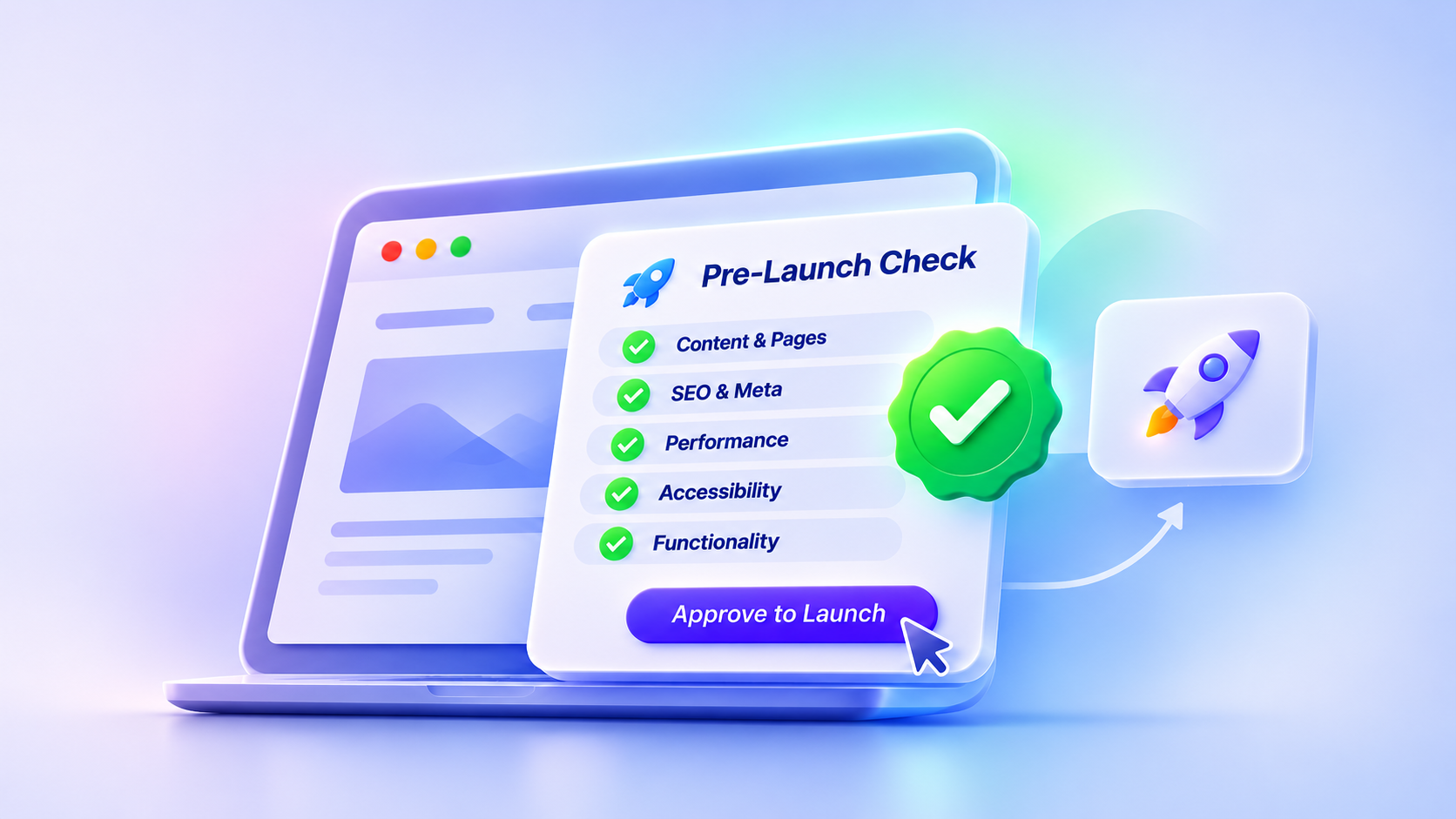
A website should not be approved for launch simply because development is complete.
The release decision needs evidence that important pages and workflows behave as expected.
A practical launch checklist can assign each requirement to an accountable owner.
| Requirement | Evidence needed | Suggested owner |
|---|---|---|
| Critical pages accessible | HTTP and page-level checks | Development |
| URL redirects correct | Tested redirect mapping | Development / SEO |
| Important content retained | Old-vs-new content review | Content / Marketing |
| Indexing controls correct | Robots and metadata inspection | Development / SEO |
| Canonicals and hreflang valid | Template and URL checks | Development / SEO |
| Internal links functional | Crawl and link validation | Development |
| Lead forms working | Confirmed test submissions | Development / Marketing |
| Conversion tracking active | Verified analytics events | Marketing / Analytics |
| Performance acceptable | Agreed performance tests | Development |
| Rollback readiness | Documented recovery procedure | Engineering / Operations |
Suggested ownership model. Actual responsibility depends on the project team.
Define release blockers before testing
Some problems should prevent launch approval.
Examples include important service pages returning errors, redirects sending visitors to incorrect destinations, unintended indexing restrictions, or broken lead-generation forms.
Other defects may be acceptable for a controlled launch if their business impact is understood and an owner is assigned to resolve them.
This distinction should be agreed on before the release window.
Have a rollback plan
What happens if the new website causes a major operational failure?
The team should know how to restore service, where backups are stored, and who can authorize rollback.
A rollback may restore the previous website, but it does not automatically reverse changes already processed by search engines. Search-related recovery still needs monitoring.
Required deliverable: A launch decision record with test results, remaining risks, responsible owners, and approval.
7. Monitor the Business Impact After Go-Live
Launching the website is the beginning of validation, not the end of the project.
A redesigned website needs a post-launch monitoring plan that covers search visibility and commercial outcomes.
Immediately after launch
Confirm that the production website is accessible, redirects work as expected, critical pages can be crawled, and temporary staging restrictions are removed where necessary.
Test high-value conversion journeys, including contact forms and lead submissions.
Verify that analytics events are being collected correctly.
During the first weeks
Review Google Search Console for indexing issues, crawl errors, performance changes, and the behavior of important landing pages.
If URLs changed, monitor how Google discovers the replacements.
Compare the performance of the old and new URLs where applicable, rather than interpreting site-wide traffic alone.
Check whether the pages that previously generated leads still attract relevant users and support conversions.
Investigate changes rather than guessing
Not every decline in search traffic is caused by the redesign.
Search demand, seasonality, competitors, algorithm updates, and reporting differences can affect performance.
Start by identifying which pages and queries changed.
If most affected pages were redirected during migration, inspect those mappings.
If multiple unrelated sections stop being indexed, investigate broader crawlability, server, or indexing problems.
If organic traffic remains stable but lead generation declines, review conversion paths, form behavior, and the new page experience.
Google’s guide to diagnosing search traffic drops provides a useful framework for distinguishing technical problems from other causes.
Required deliverable: A monitoring plan that identifies metrics, responsible owners, review cadence, and the conditions that trigger investigation.
8. What Should You Ask Your Website Development Partner?
Before choosing a development partner, evaluate how the team plans to handle the transition from the existing website to the new one.
The conversation should go beyond design deliverables and implementation timelines.
Ask:
- Which existing URLs will remain unchanged, and who approves new URL mappings?
- How will important content and internal links be preserved?
- What technical SEO requirements will be tested during development?
- How will multilingual pages and canonical references be validated?
- What evidence will be provided before launch approval?
- How will lead forms and analytics be tested?
- What is the recovery plan if a critical problem occurs?
- Who will investigate technical issues discovered after launch?
A development team does not necessarily need to own every SEO or content decision.
But the project’s responsibilities, dependencies, and acceptance criteria must be clear.
When these conversations happen early, businesses can make informed trade-offs instead of discovering missing requirements during launch week.
Professional Website Development should address more than implementation alone. It should also account for technical reliability, testing, maintainability, and the decisions required to bring a website into production.
Final Thoughts: A Better Website Needs a Safer Launch Process
A redesign should improve how a website represents a business and serves its visitors.
It should not unnecessarily discard content, URLs, search visibility, and conversion journeys that the organization has already invested in.
The most useful website redesign SEO checklist is not the longest one. It is the one that makes important decisions visible before development begins.
Define the type of redesign. Understand what already works. Make deliberate URL and content decisions. Include technical requirements in the build. Test the release against clear acceptance criteria. Monitor results after launch.
A successful launch is not simply a website going live. It is a release that the business can verify, operate, and improve with confidence.
Planning a website rebuild or redesign? Explore youx Studio’s website development services and discuss the implementation decisions, technical requirements, and launch-readiness checks that matter for your business.