Web App Design

Web Apps That Make Complex Work Simple.

We design web applications that make complex workflows easier to understand and use.
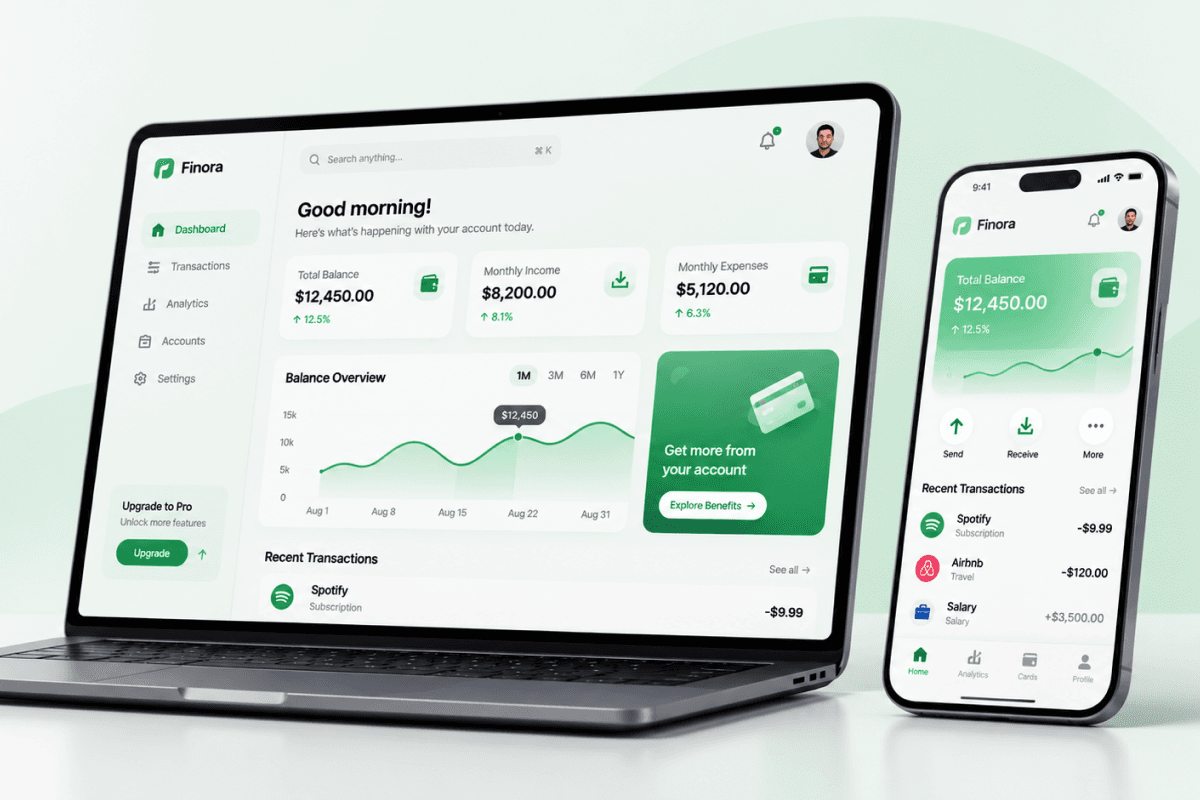
Web App Design
We focus on
User experience, complex workflows, interface systems, data visualization
We use
Product research, user flows, wireframing, prototyping, UI design
You get
User flows, wireframes, high-fidelity screens, interactive prototypes, development-ready design files
For
SaaS products, dashboards, management platforms, data-driven web applications

What We Design

Web App Experiences That Make Complex Work Easier

  • 01

    User Roles and Workflows

    We design around different user types, permissions, and responsibilities, making complex workflows easier to understand and complete.

  • 02

    Navigation and Information Architecture

    We organize features, content, and data into clear structures that help users find what they need and move through the application efficiently.

  • 03

    Interface Systems and Data Visualization

    We create consistent interfaces for complex products, using reusable components, tables, charts, and visual patterns to make information easier to understand.

  • 04

    Interaction, States, and Responsive Experiences

    We design meaningful interactions and interface states—including loading, empty, error, and success states—while adapting layouts to different screen sizes and input methods.

How We Work

From Product Complexity to a Clear, Usable Application

  1. Stakeholder Alignment

    Understand the product, its goals, users, and context

    We start by aligning with your team on the product vision, business objectives, user types, internal workflows, and technical constraints. This helps establish a shared foundation before design begins.

    Key steps

    • Discuss business goals and product vision
    • Identify user roles, permissions, and responsibilities
    • Understand existing workflows and operational needs
    • Review available product documentation and technical constraints

    Deliverables

    Stakeholder briefProduct context summaryAgreed design scope and priorities
  2. Product Discovery and Research

    Understand user needs and identify design opportunities

    We explore user needs, business priorities, and the challenges the application needs to solve. We review available product insights and relevant market patterns to build a clearer picture of the problems and opportunities.

    Key steps

    • Review available product data and user feedback
    • Explore relevant products and industry patterns
    • Identify user pain points and workflow challenges
    • Map assumptions, opportunities, and design priorities

    Deliverables

    Research summaryUser needs and pain pointsProblem and opportunity overviewDesign priorities
  3. User Flows and Information Architecture

    Structure how different users navigate and complete tasks

    We organize the application's features and information, then map the key workflows across different user roles. This defines how users move between sections, access relevant information, and complete their tasks.

    Key steps

    • Define the application's information architecture
    • Map end-to-end user journeys and task flows
    • Establish navigation and screen relationships
    • Identify key screens for different user roles
    • Consider permissions and different user scenarios

    Deliverables

    Information architectureUser flowsNavigation structureScreen inventory
  4. Wireframing

    Define screen layouts and interaction logic

    We create wireframes to establish the structure of key screens, information hierarchy, and interaction patterns. This allows the team to review core workflows and layouts before visual design begins.

    Key steps

    • Create wireframes for core workflows
    • Define screen layouts and content hierarchy
    • Plan the placement of key components and data
    • Review navigation and interaction patterns
    • Refine wireframes based on feedback

    Deliverables

    Low- or mid-fidelity wireframesCore screen layoutsWireframe revisions based on feedback
  5. Visual Design and UI Foundations

    Build a consistent interface around the product's needs

    We define the visual direction and translate approved structures into detailed interface designs. Special attention goes to complex data, user permissions, interface states, and consistency across the application.

    Key steps

    • Explore visual references and design directions
    • Define typography, colors, spacing, and layout principles
    • Design high-fidelity application screens
    • Adapt layouts to relevant screen sizes

    Deliverables

    Visual direction or moodboardHigh-fidelity UI screensReusable UI componentsInterface states and variantsDesign system or UI library, based on project scope
  6. Prototyping and Validation

    Review key workflows before development

    We connect important screens into interactive prototypes to explore how the application works. When appropriate, we gather feedback through stakeholder reviews or usability testing and refine the design based on what we learn.

    Key steps

    • Build interactive prototypes for key workflows
    • Review navigation and interaction behavior
    • Gather feedback from stakeholders or users
    • Identify and refine usability issues

    Deliverables

    Interactive prototypeFeedback summary, where validation is conductedRefined user flows and interface designs
  7. Design Handoff

    Prepare a clear design package for development

    We organize the final design files and document the details developers need to implement the application. Depending on the engagement, we can also support the development team and review the implemented interface for design consistency

    Key steps

    • Organize Figma files, components, and variants
    • Document interaction behavior and design specifications
    • Prepare required icons and visual assets
    • Clarify important design decisions with developers
    • Support implementation reviews, where included in scope

    Deliverables

    Organized Figma filesUI components and design specificationsExport-ready assetsDeveloper handoff documentation

FAQ

Questions about Web App Design

We're here to bring your ideas to life.

Let’s start
© youx Studio 2017 - 2026
Web App Design | youx Studio